 Chobial
Make a flat sky beautiful on iPhone with a sky mask
You shoot a lake at dusk, the trees look right, and the sky has gone white. It usually isn't gone. The clouds are still in the RAW file, sitting in the top stop of highlights. A sky mask lets you reach them without darkening the water and trees along with them.
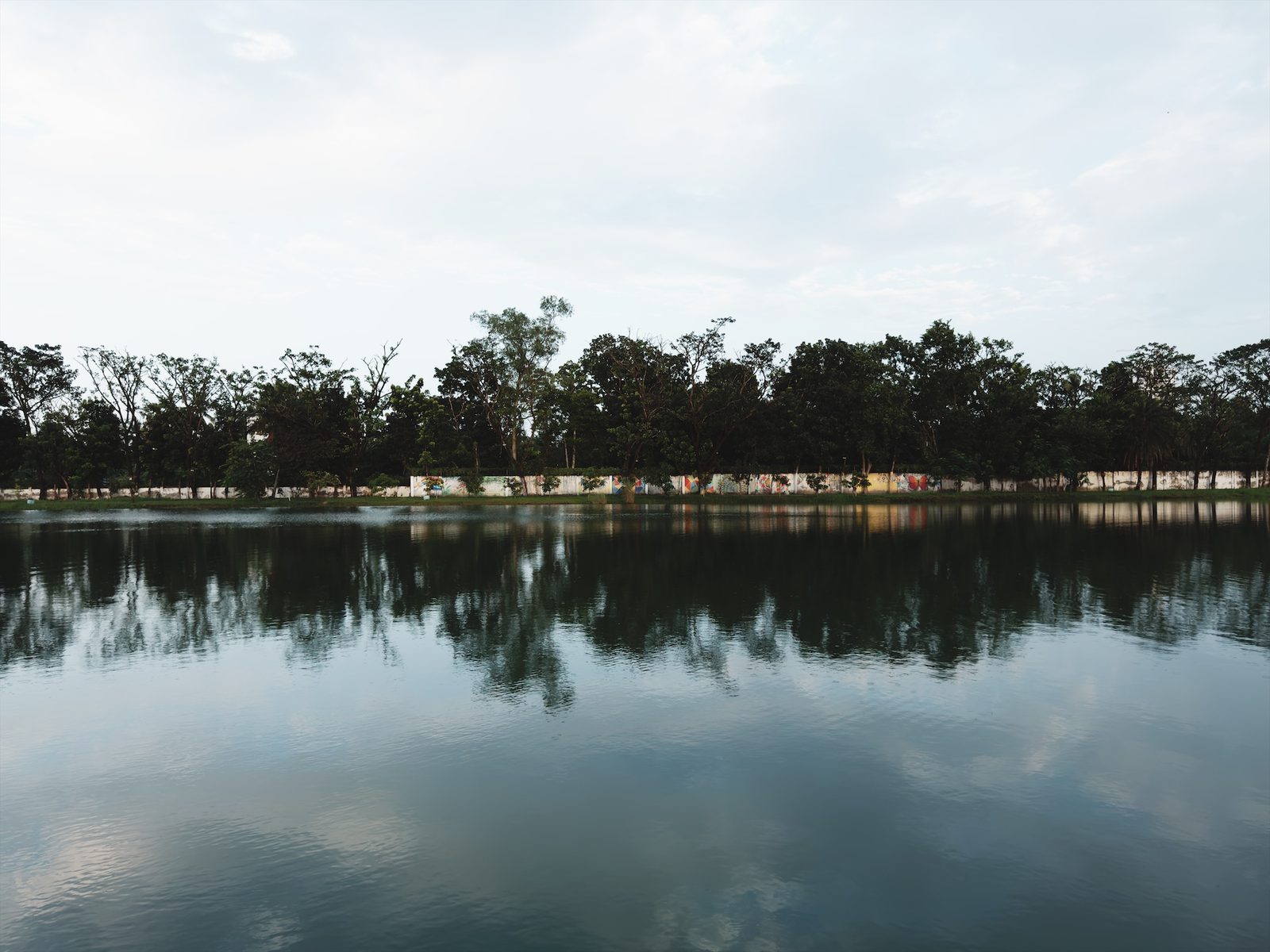
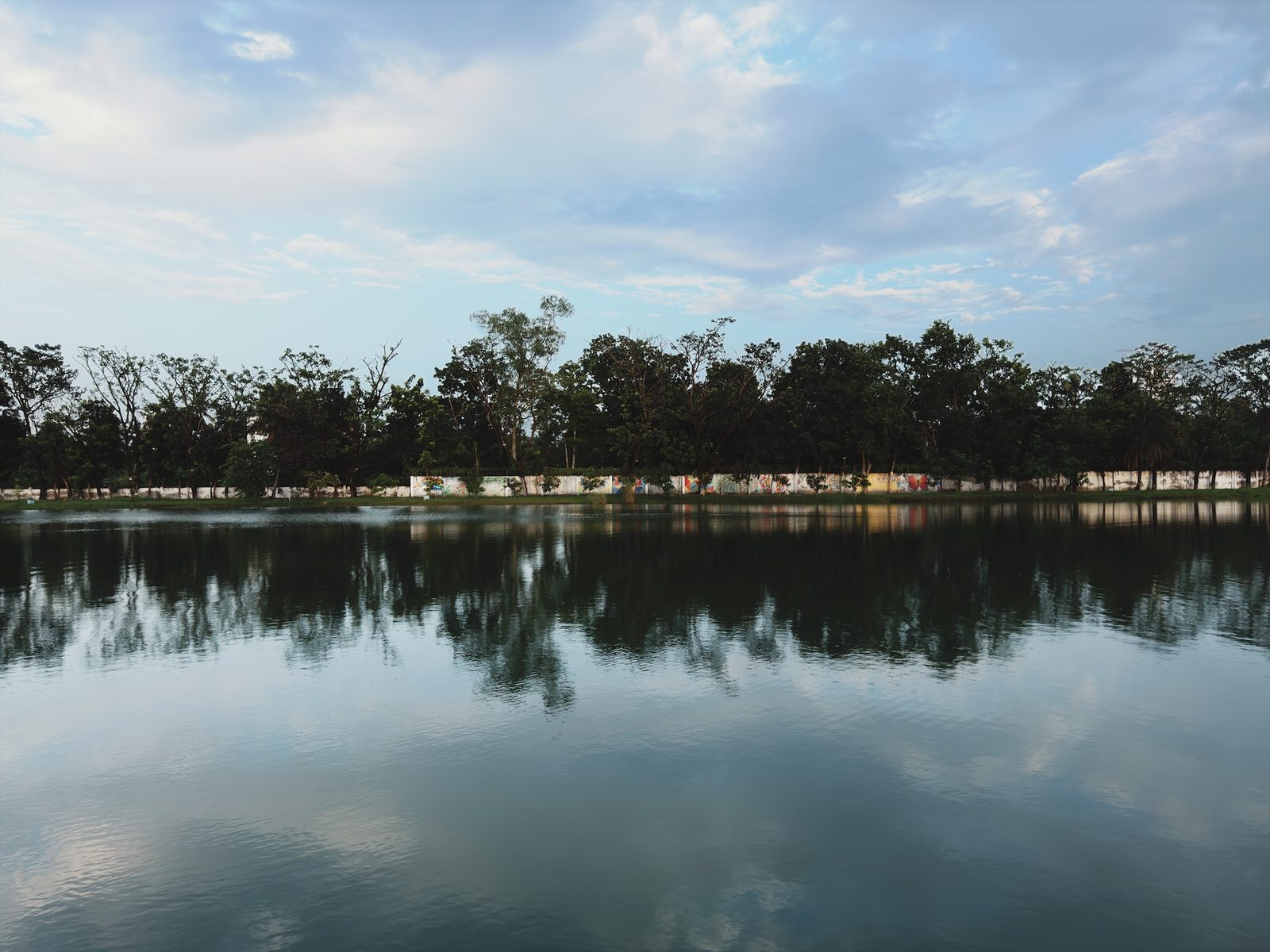
1 · Select the sky
- Open the photo in the Library and tap the edit button.
- Choose the Masks tool and tap + New. The first time, Chobial takes a second to look at the photo: Finding the subject, sky and people…
- Tap Sky.
The sky turns red. That is the overlay, showing what the mask covers. Tap the eye to hide it or show it again.
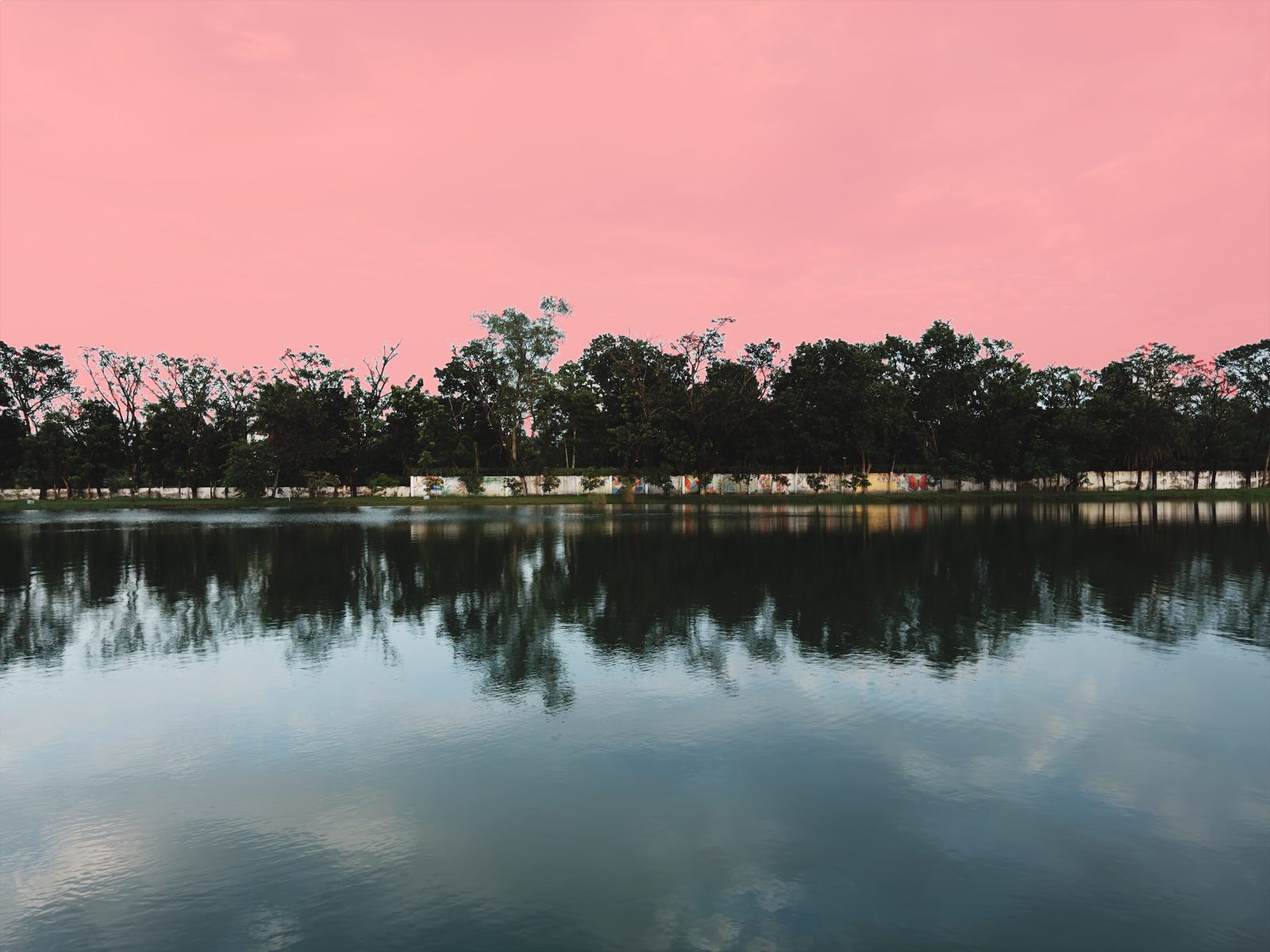
The selection is made on your iPhone. The edge is refined against the full-resolution photo when you export, so thin branches against the sky hold up at full size.
2 · Bring the clouds back
These are the settings used on the photo above. Treat them as a starting point:
Sky mask
| Highlights | −100 |
| Brightness | −18 |
| Saturation | +43 |
- Highlights does most of the work. It pulls the brightest part of the sky down, which is where the cloud detail is.
- Brightness settles the mid-tones of the sky so it doesn't look pasted in. A small negative value is enough.
- Saturation brings the blue back once there is some tone to hold it. Use Vibrance instead if the sky is already partly blue, since it holds back on colours that are already strong.
3 · Check it, and keep it honest
- Tap the power button to switch the mask off and on and compare.
- Watch the treeline. If you see a light halo along it, reduce Highlights a little or add some Brightness back.
- If the mask caught something that isn't sky, such as a white building, tap Subtract and paint it out with a Brush.
Masks are applied on top of the film, so you can go back to the Film tool and try Chobial Negative or Expedition on the same photo. The sky mask stays where it is.
There are more masks in the Masks tutorial. If the sky isn't found, a linear gradient works as a graduated ND filter.
Questions
Does the sky mask work on any photo?
It works on any photo where Chobial finds a sky. If there is none, the Sky choice is greyed out and the panel says so. For a sky it misses, use a Linear Gradient instead.
Is the sky replaced or generated?
No. Chobial selects the sky that is already in your photo, on your iPhone, and edits it with ordinary sliders. No pixels are generated and nothing leaves the phone.
Why pull highlights down instead of exposure?
Highlights only moves the bright end of the sky, where the clouds are, and leaves the rest of it alone. Exposure darkens all of the sky, blue parts included, which tends to look like a filter.
Will the mask follow if I crop or change the film?
Yes. The mask is kept against the whole photo and redrawn for whatever crop, straighten or film you choose later.