 Chobial
Fold here
for film.. Chobial, the film camera app for iPhone Duo
AlsoMade for iPad →
Your phone folds now. So does our camera. Chobial knows where iPhone Duo keeps its buttons, what to do when it's half open, and what to show on the outside while you shoot on the inside.
- Closed or open. The bar lives in the side strip.
- Half open. Picture on one page, controls on the other.
- Outer screen. Your subject sees the film.
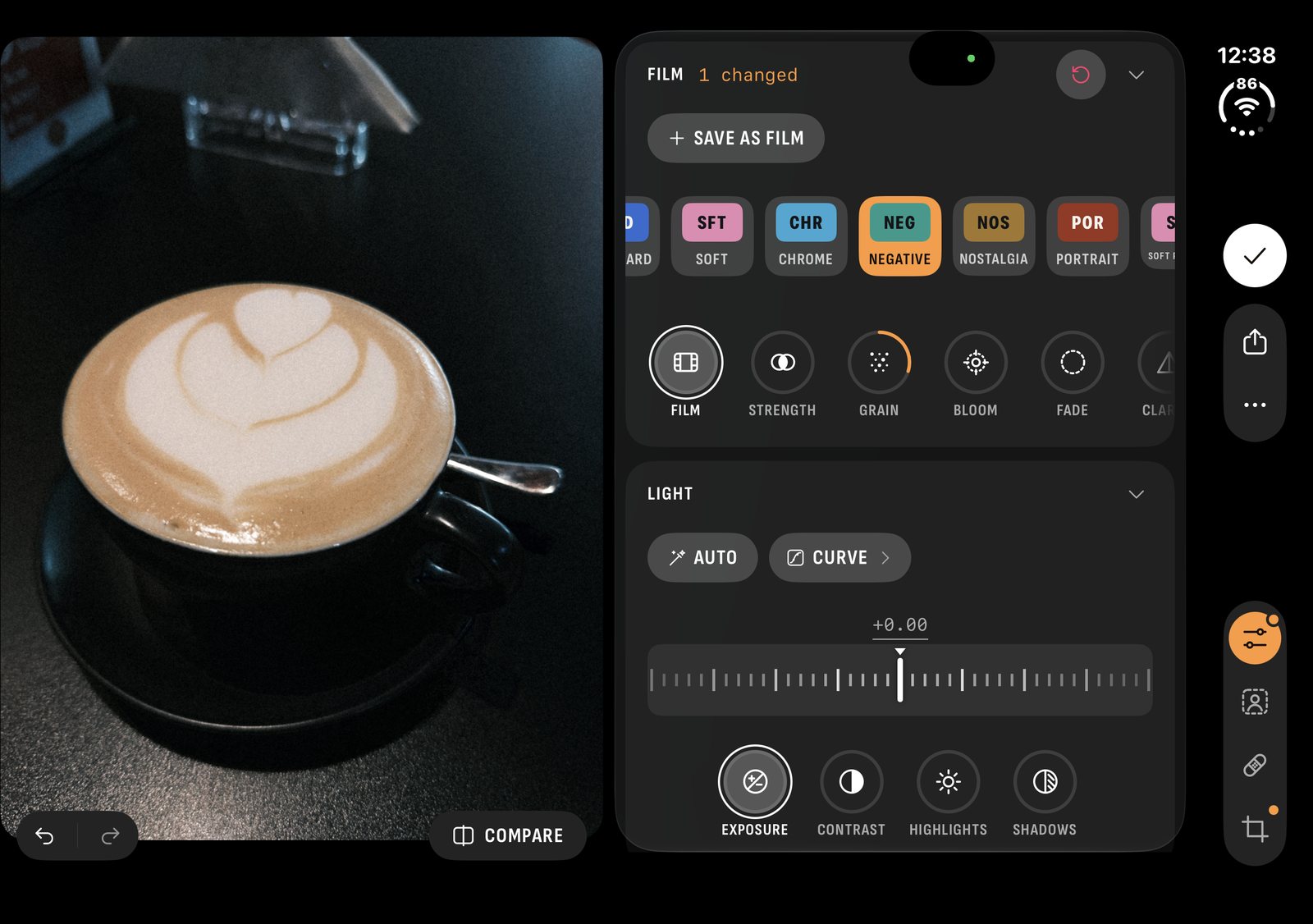
- Open wide. The editor beside the photo.
- RAW or HEIF. The films develop both.
Closed, it's a camera.
On iPhone Duo the camera's bar goes where the system puts its own: in the strip down the side, closed or open. The library, the editor, your films and the collage maker put their buttons there too, in the order iPhone Duo's own apps use, so your thumb always knows where to go.
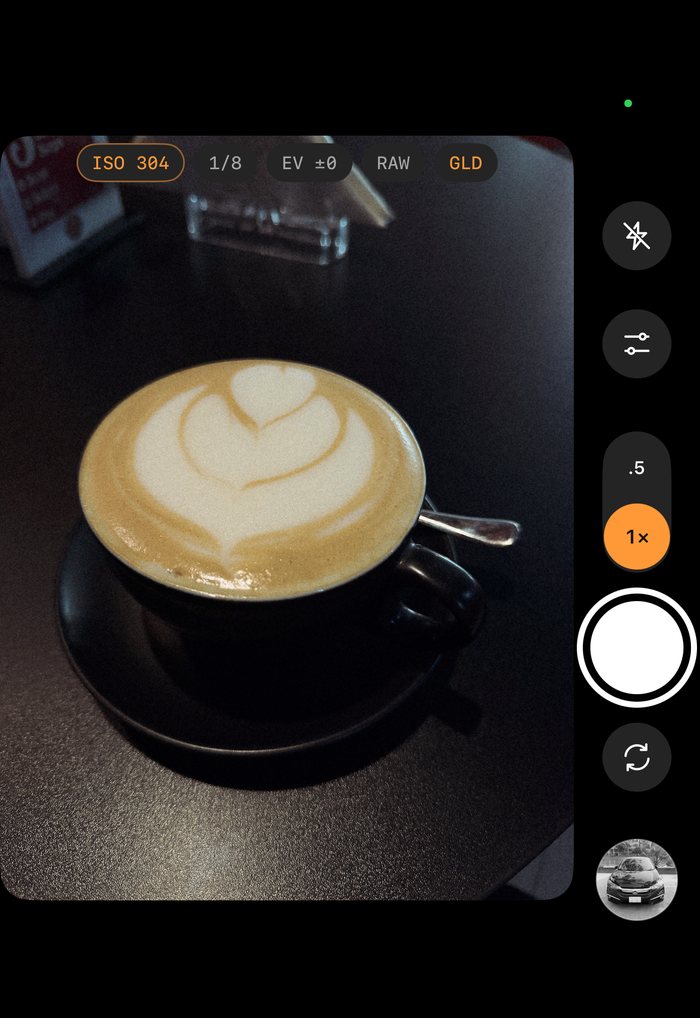
It's the whole camera, not a cut-down one. Swipe across the picture to change film, open Controls for the panel, and set ISO and shutter by hand on one dial.
- Film46 built in, plus any you make, live in the viewfinder
- MeteringLive histogram, zebras at a clipping level you set, grid and level
- FocusManual from near to infinity, loupe and focus peaking
- CaptureRAW on the lenses that offer it, HEIF where there's none, and HEIF or JPEG whenever you like. The films develop all of them
Half open, it's a tiny tripod.
Bend it like a laptop and Chobial splits along the fold: the picture takes one page and the controls take the other. Stand it on a table, frame on one half, fiddle on the other, and nobody's fingers end up in the shot.
Open, it's a darkroom.
Unfold it and turn it on its side, and the picture gets the full height. Beside it, a column holds the loaded film, the exposure as large chips, the histogram and the Controls panel, always open.
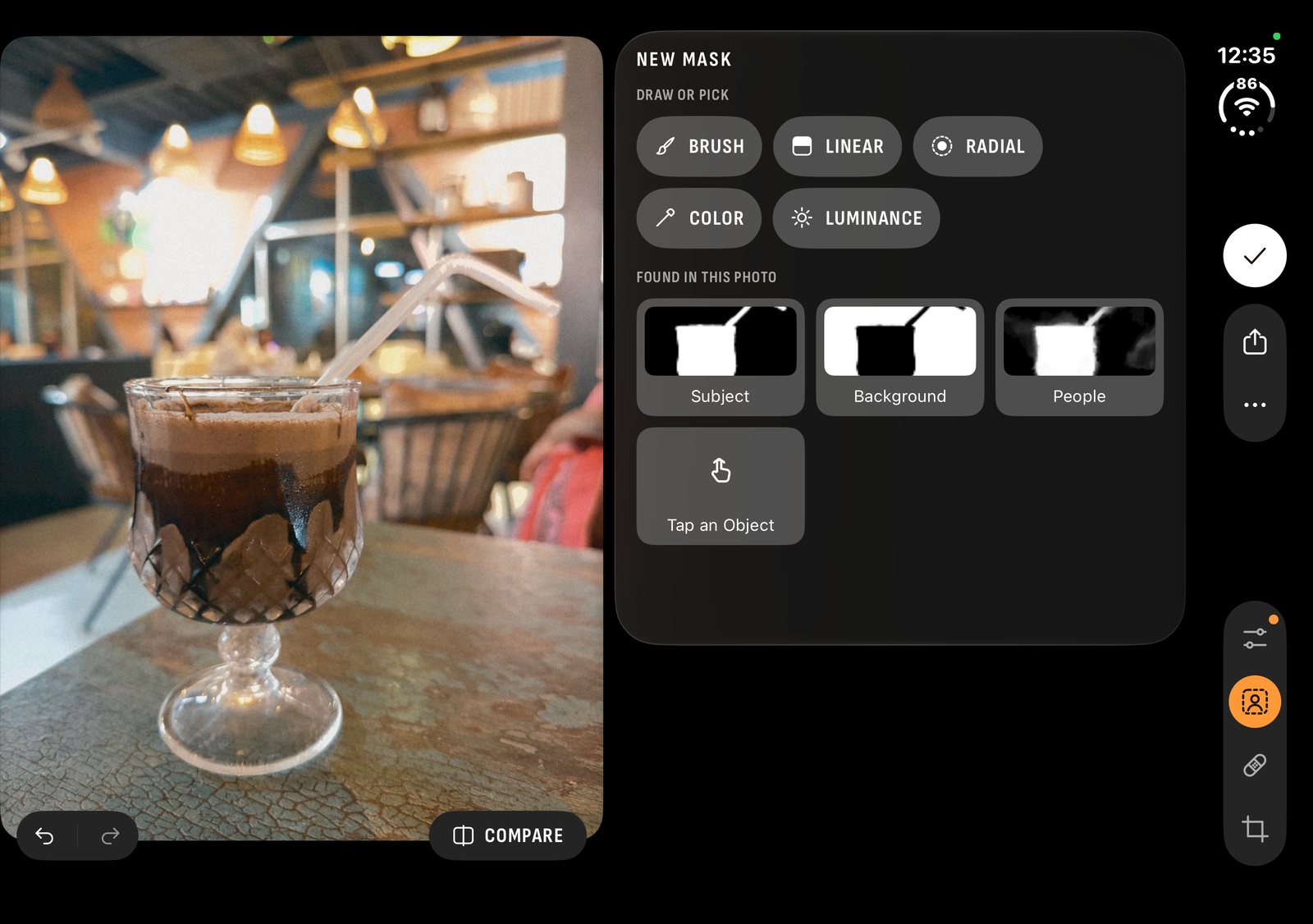
Open a photo and the editor stands beside it, not over it. Film, Light and Color are folding cards under one Edit tab, each with its own reset. Masks, Heal and Crop keep tabs of their own.
The library spreads out to match, with more photos to a row. And every photo keeps its original, so you can develop it again with another film on the big screen.
Say cheese. See film.
While you shoot on the inner screen, the outer screen shows the person you're photographing the picture, mirrored like a mirror should be, in the film, with the film's name underneath. They see the Gold before you press the shutter, and can fix their hair accordingly.
Flip to the front camera and Chobial picks the one on the side of the fold you're looking at.

Unfolded, for your reading pleasure.
- Devices
- iPhone Duo, iPhone and iPad, on iOS 26. Mac isn't supported
- Films
- 46 built in: 35 colour, 11 black and white, 22 of them free. Any number of your own
- LUTs
- Import any
.cube; export your films as.cube - Shutter
- Apple Watch remote with a framing preview and a 3 or 10 s timer, and Siri: "Shoot Chrome with Chobial"
- Video
- No. It's a stills camera
- Sync
- Films, settings and photos over your own iCloud, to your other iPhones and iPads
- Price
- Free to shoot, develop, edit and make films, and to save in 22 films. Pro saves in every film, with masks and heal: $29.99 once, $14.99 a year with the first week free, or $1.99 a month (US; beta prices may change)
- Privacy
- No account. No analytics. No pixel made up. Policy
Does Chobial shoot RAW on iPhone Duo?
On the lenses that offer it. Where a lens has no RAW, Chobial takes HEIF, and the films develop that too. You can pick ProRAW, RAW, HEIF or JPEG yourself, in Settings › Format or by tapping the format beside the picture.
Does the Apple Watch work with iPhone Duo?
Yes. iPhone Duo is an iPhone, so the Watch remote works as it does on any other: open Chobial on the phone, and the watch shows what the camera sees, with the film and the exposure, plus a 3 or 10 second timer. Handy with the Duo standing half open on a table.
What does the outer screen show?
While you shoot on the inner screen, the outer one shows the picture, mirrored, in the film you've loaded, with the film's name under it, so the person in front of the camera can see how they'll look.
Two screens.
One beta.
Chobial is in beta on TestFlight. Leave your email on the home page and Apple sends you the invite.
Get the betaiPhone Duo in the guide · Chobial on iPad · How Chobial compares