 Chobial
Film camera,
extra large.. Chobial, the film camera app for iPad
AlsoMade for iPhone Duo →
We know. Someone always holds an iPad up at the school play. Now they can do it with film, live, on a screen big enough for the whole row behind them to admire.
- The film, live. On a proper big viewfinder.
- Controls open. A column beside the picture.
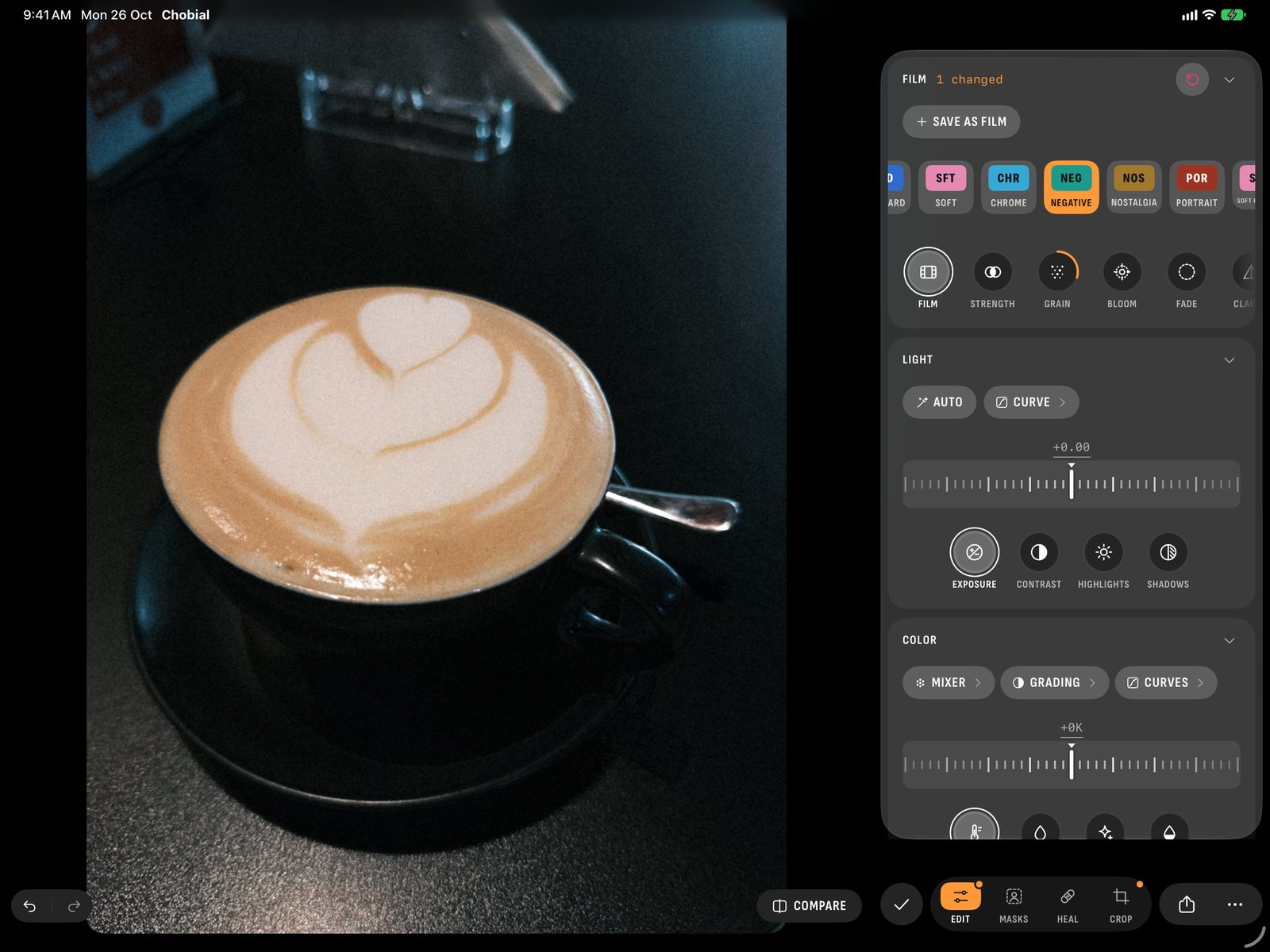
- Editor beside the photo. Film, Light, Color in one tab.
- iCloud sync. Shoot on iPhone, finish on iPad.
- No account. Nothing to sign up for.
A viewfinder you can see from across the room.
Hold the iPad on its side and the camera's bar stands down one edge. With room to spare, a column beside the picture holds the loaded film, the exposure as large chips, the histogram and the Controls panel, always open. No more hunting for the ISO: it's just there.
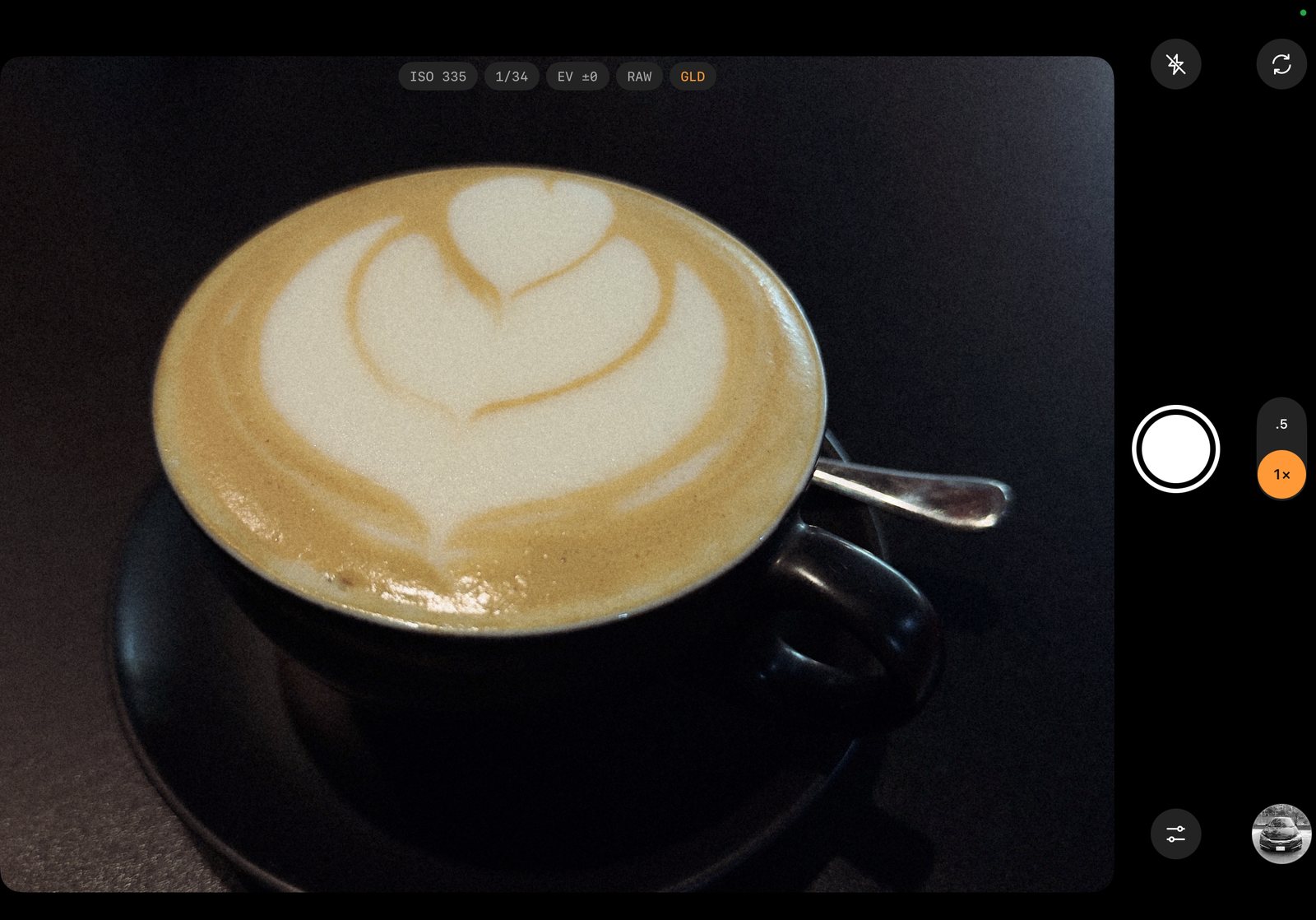
It's the same camera as on the iPhone, with the elbow room a camera deserves. Swipe across the picture to change film, and watch the whole scene change with it.
- Film46 built in, plus any you make, live in the viewfinder
- ExposureISO and shutter by hand on one dial, or Auto; compensation in third stops
- MeteringHistogram in the column, zebras at a clipping level you set, grid and level
- FocusManual from near to infinity, loupe and focus peaking
- Frame lines4:3, 3:2, 1:1, 16:9 and the XPan's 65:24
- CaptureRAW on the lenses that offer it, HEIF where there's none. HEIF or JPEG whenever you like
Room to spread out.
On iPad the editor stands beside the photo instead of on top of it. Film, Light and Color are folding cards under one Edit tab, each with its own reset, so you can nudge the film's strength and the exposure without hopping between tools. Masks, Heal and Crop keep tabs of their own.
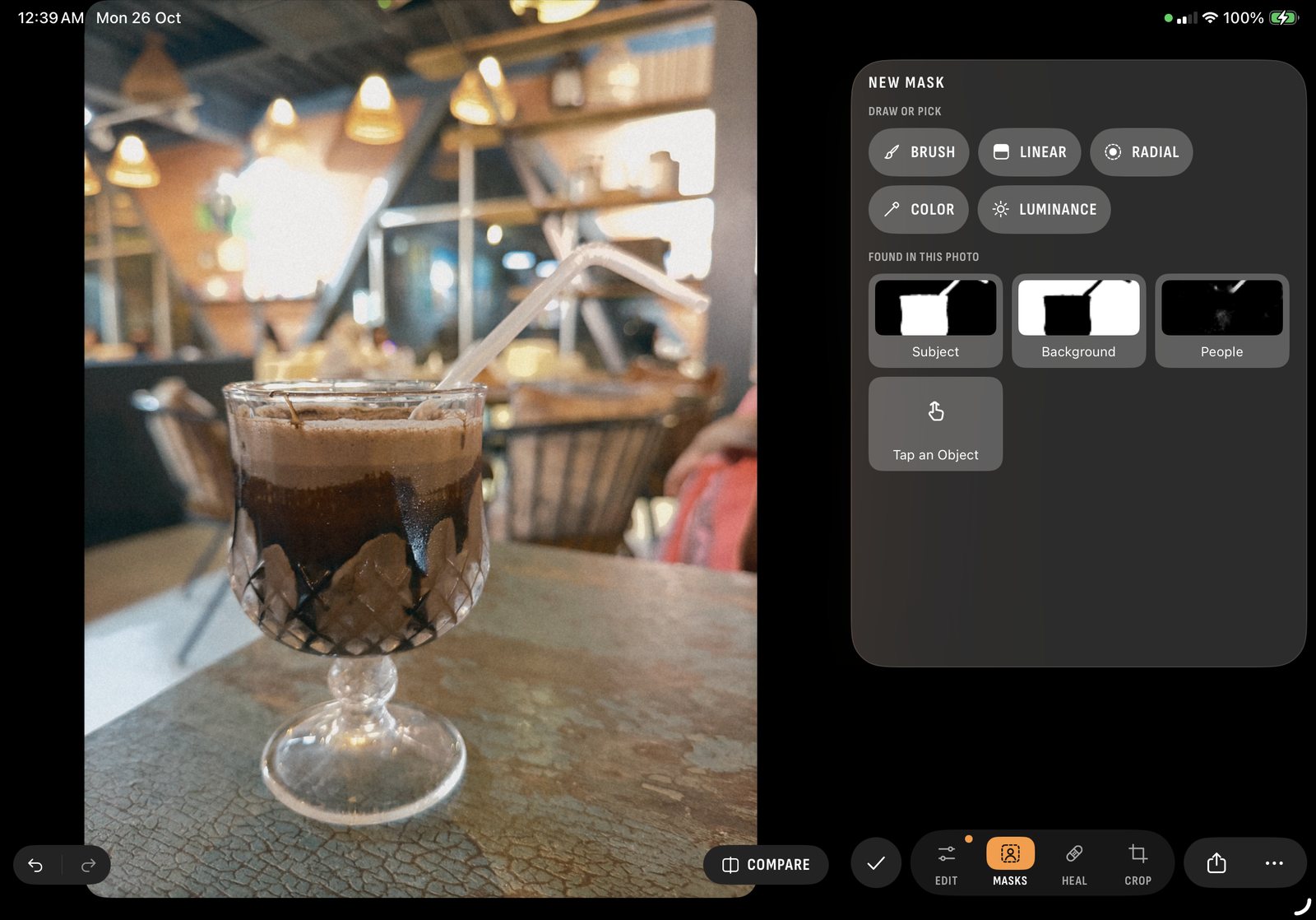
Masks find the subject, the sky, people and faces for you, or you paint with a brush, lay a gradient, or pick by colour or brightness. See a sky mask, step by step.
Heal and clone take out the dust spot and the wire across the sky. Copy Edits carries a look to a whole shoot, and a roll can be developed again in another film in one go.
And because every photo keeps its original, you can develop it again with another film whenever the mood changes. Big screen, no commitment.
Shoot on the phone. Develop on the iPad.
Films, settings and photos sync over your own iCloud. Take a picture on your iPhone, and it's waiting in Chobial on your iPad, edits and all. Make a film on the iPad, and it's in your phone's viewfinder next time you go out.
- SyncOn by default. Photos live in Chobial's own iCloud storage, not in Photos or iCloud Drive, and count toward your iCloud plan
- Keep apartTurn off Settings › Sync Photos on a device to keep its photos to itself
- ImportImport Photos, at the top of the library, brings in RAW, ProRAW, HEIF and JPEG photos from any iPhone or iPad
- ExportJPEG or HEIC at full resolution, or the original DNG, with seven frames to choose from
The fine print, in a bigger font.
- Devices
- iPad, iPhone and iPhone Duo, on iOS 26 and iPadOS 26. Mac isn't supported
- Films
- 46 built in: 35 colour, 11 black and white, 22 of them free. Any number of your own
- LUTs
- Import any
.cube; export your films as.cube - Video
- No. It's a stills camera
- iPhone only
- Camera Control and the Apple Watch remote. An iPad has neither, so the in-app guide skips them there
- Price
- Free to shoot, develop, edit and make films, and to save in 22 films. Pro saves in every film, with masks and heal: $29.99 once, $14.99 a year with the first week free, or $1.99 a month (US; beta prices may change)
- Privacy
- No account. No analytics. No pixel made up. Policy
Does Chobial shoot RAW on iPad?
On the lenses that offer it, yes. Where a lens has no RAW, Chobial takes HEIF, and the films develop that too. You can choose HEIF or JPEG any time, in Settings › Format or by tapping the format beside the picture.
Can I edit my iPhone photos on the iPad?
Yes. With Sync Photos on, which it is by default, your photos and their edits appear in Chobial on every iPhone and iPad signed in to your Apple Account. You can also import RAW, ProRAW, HEIF and JPEG photos taken on any iPhone or iPad.
Is there a Mac version?
No. Chobial runs on iPhone, iPhone Duo and iPad.
Big screen.
Small beta.
Chobial is in beta on TestFlight. Leave your email on the home page and Apple sends you the invite.
Get the betaiPad in the guide · Chobial on iPhone Duo · How Chobial compares