Maybe you shot a photo in one film and now you'd like to see it in another. I wanted to show what that looks like with a real photo. So here's one latte, shot once and developed six ways.
The latte, as shot
I took it with an iPhone 17 Pro Max in Apple ProRAW. The lens was the 24 mm main camera at ƒ1.78. The shutter was 1/85 s and the ISO was 200. The film loaded in the camera was Negative.
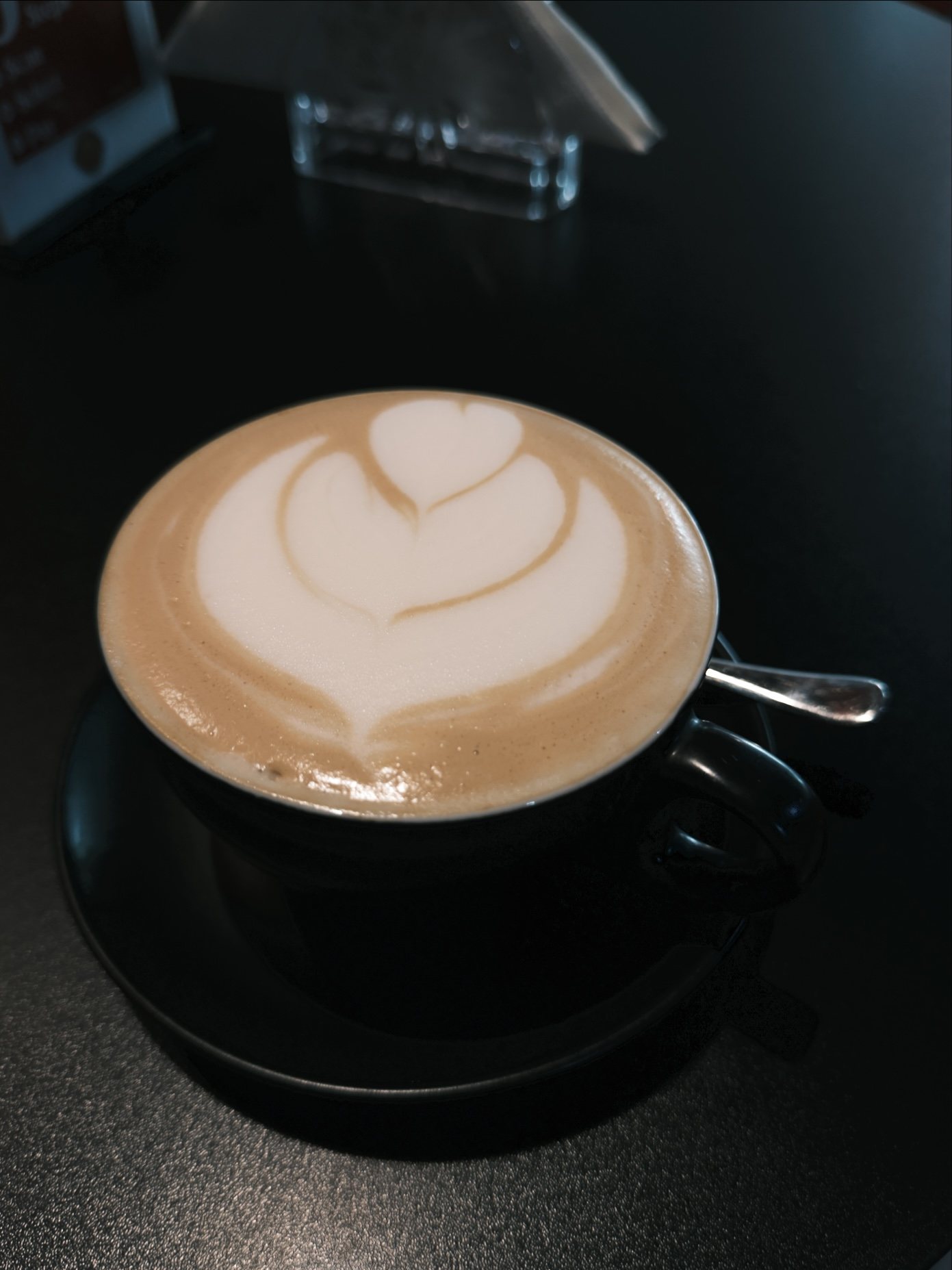
Negative gives soft cream foam and a warm brown crema. The table is a dark grey, close to black.
Every photo below comes from that same RAW file. I didn't take another photo. I opened the one I had and picked another film.
The same RAW in five more films
Gold
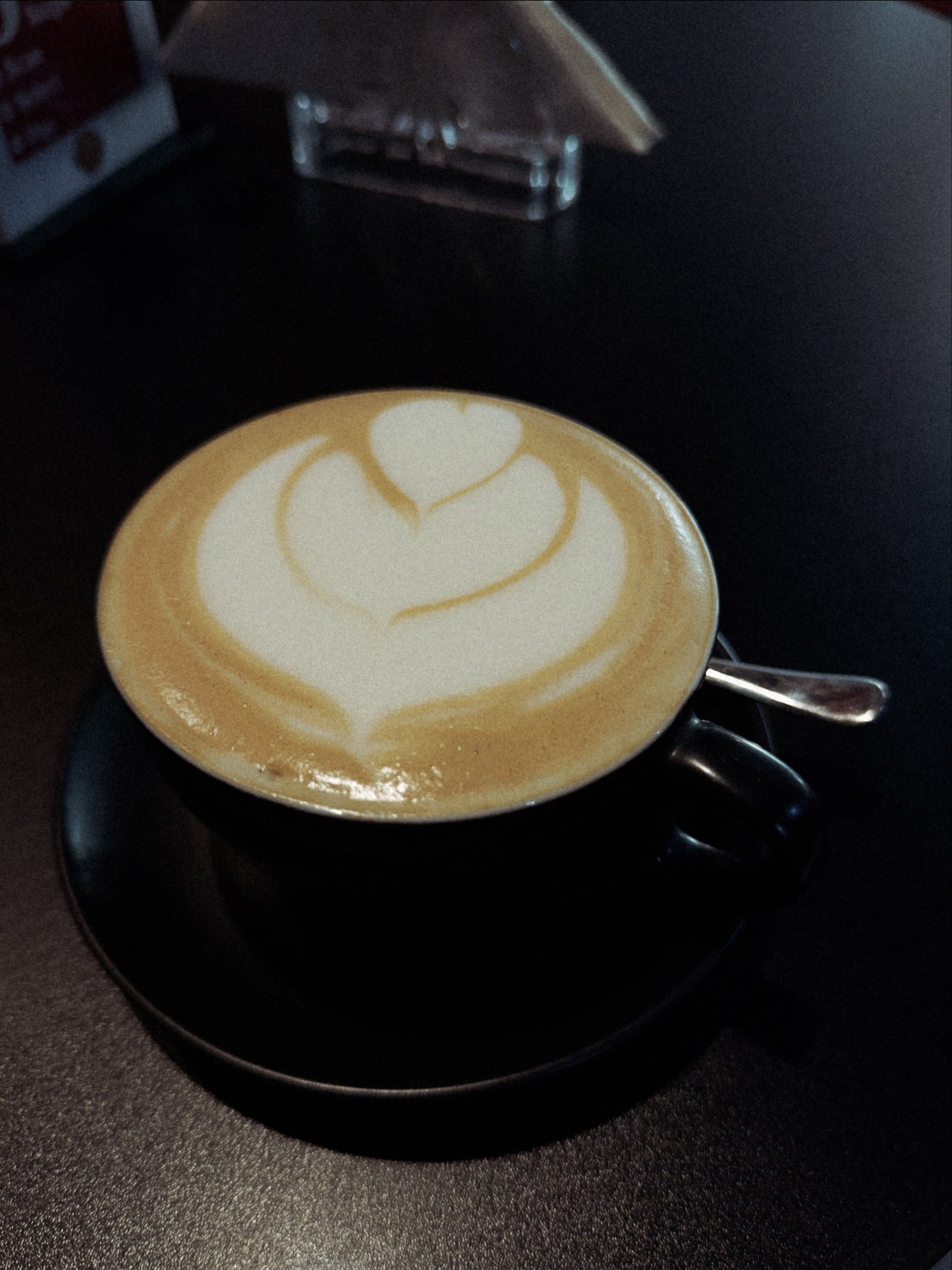
Gold makes the whole photo warmer. The crema turns more yellow, and the dark table picks up a brown tint. You can also see a fine grain over the table.
Chrome
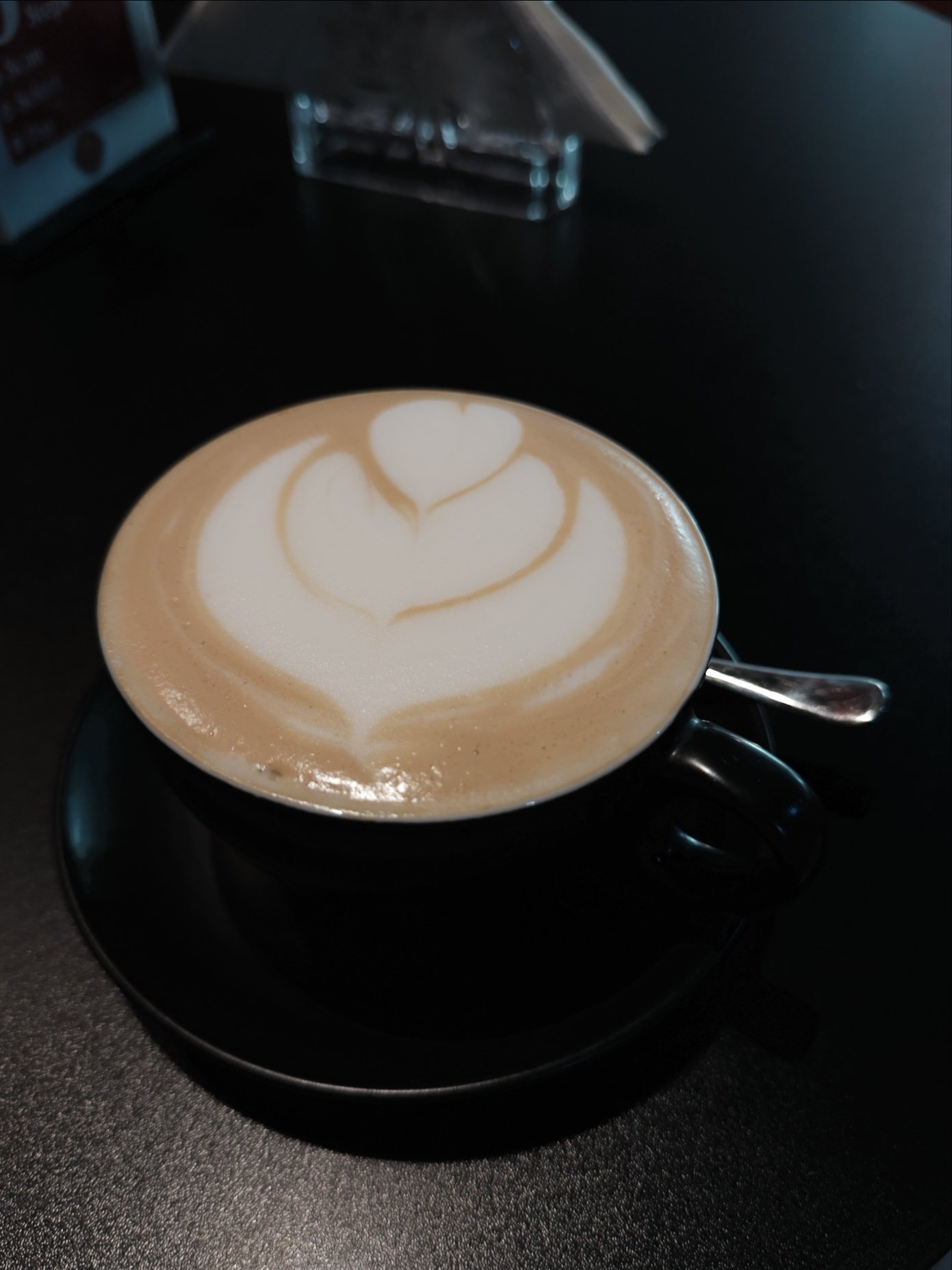
Chrome is close to Negative on this photo. The browns in the crema are a little quieter and less yellow. If you look at the two side by side, Negative feels a little softer.
Tungsten
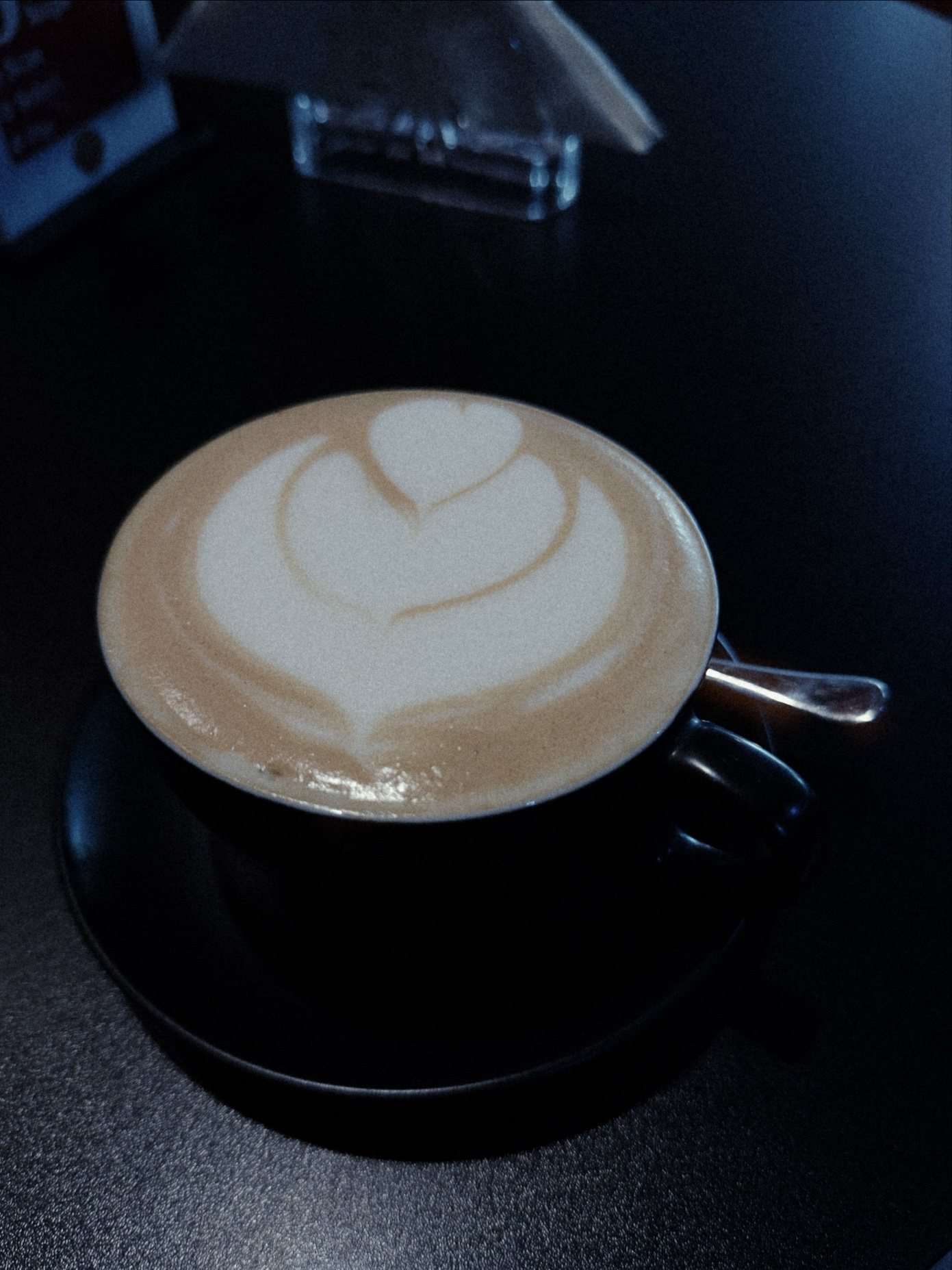
Tungsten is the big change. Everything turns cool and blue. The white foam goes a pale blue-grey, and the table looks blue-black. It's the furthest from how the scene looked in Negative.
Standard
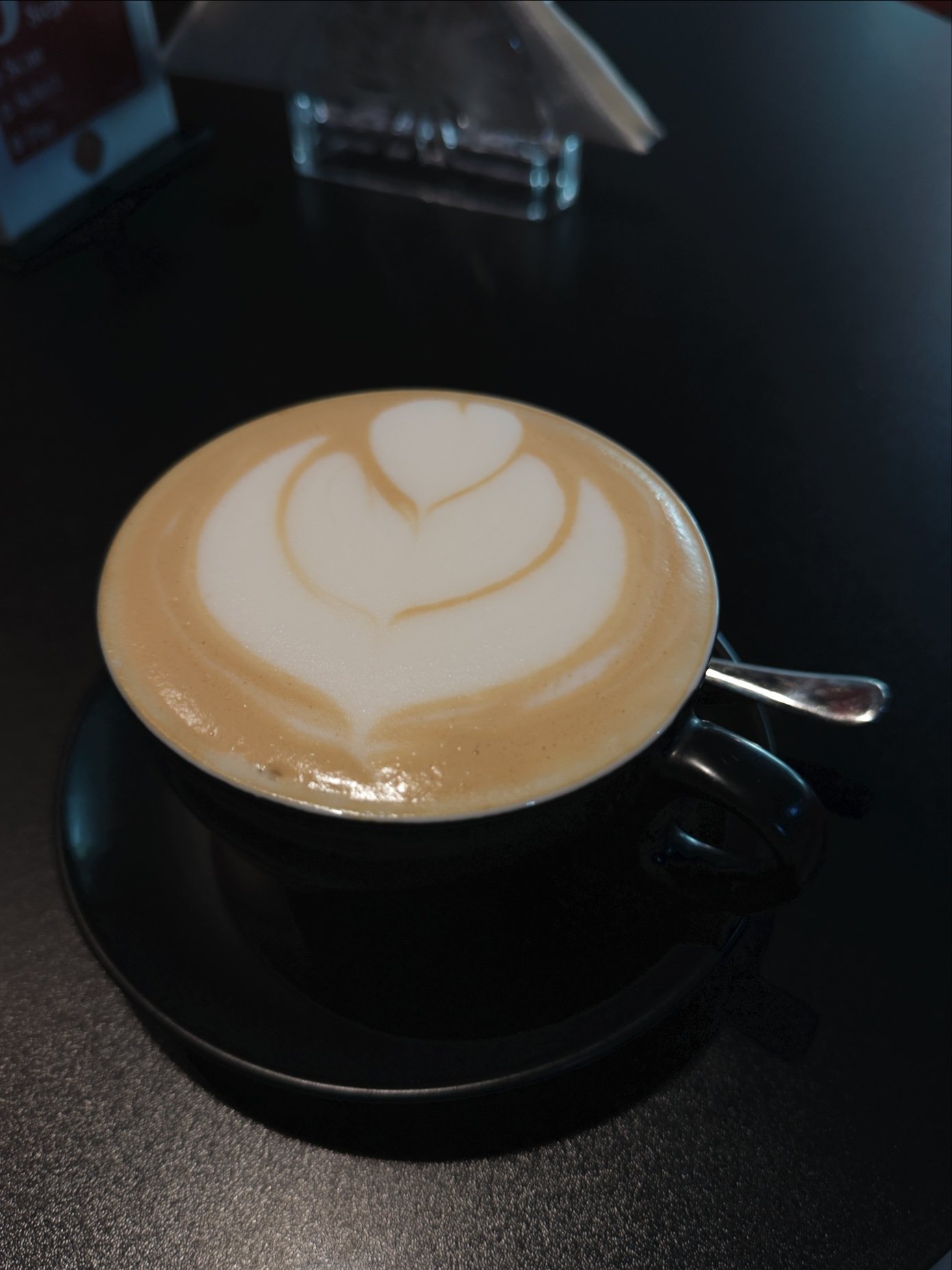
Standard is a plain develop. The crema is a clean tan, the foam stays white, and there's no grain to see.
B&W + R
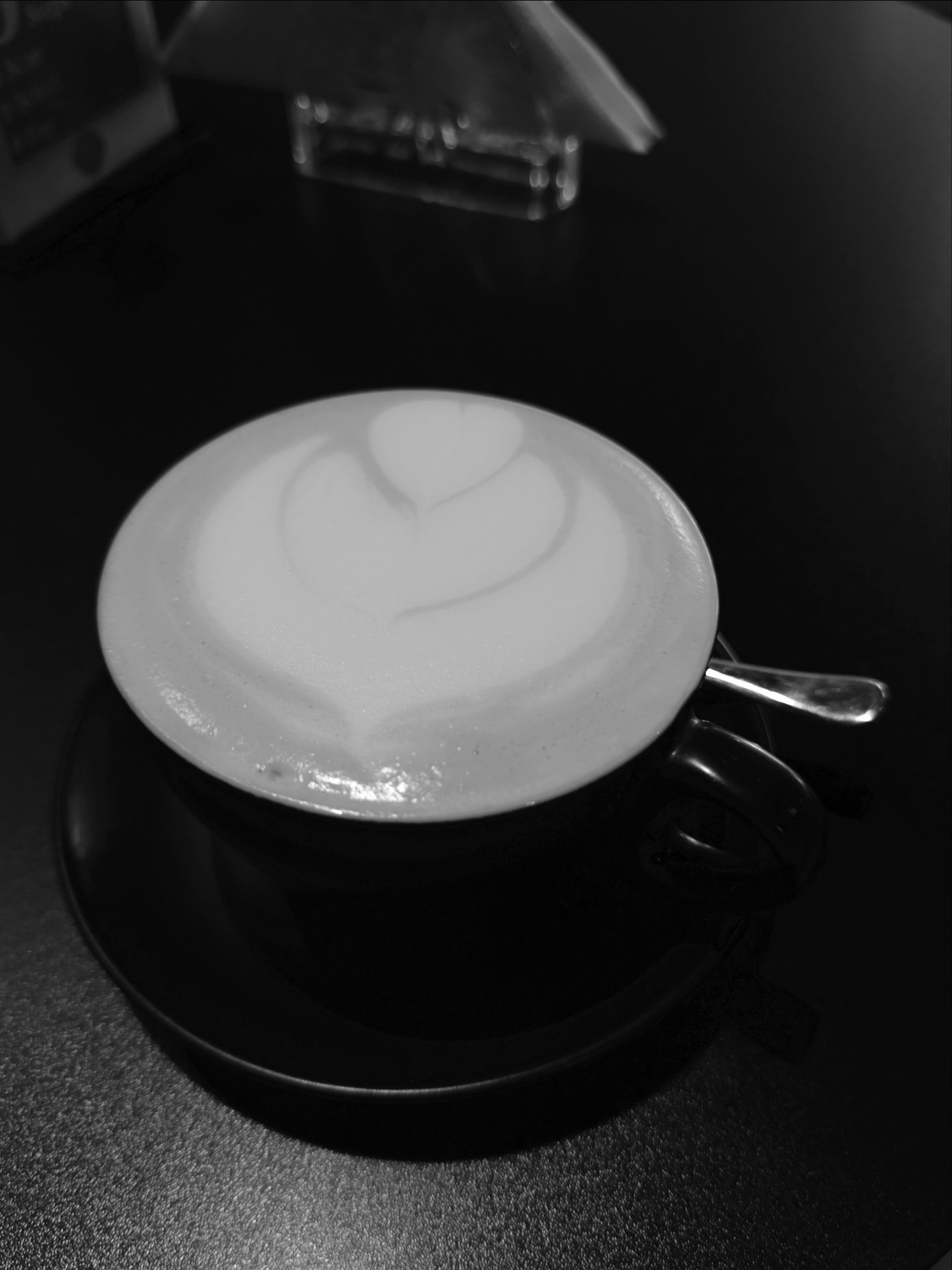
This one is B&W + R. It's black and white with a red filter. A red filter makes reds lighter in black and white, and browns get lighter too. So the brown crema turns almost as light as the foam. The heart is still there, but it's much fainter. The dark cup and table stay dark.
That's six looks from one shot. None of them is a copy of another. Each one was developed from the RAW.
A second photo: the cappuccino
The latte is a dark, warm scene. Here's the same idea on a photo with more texture. This cappuccino is also an iPhone 17 Pro Max ProRAW, at 1/50 s and ISO 800.
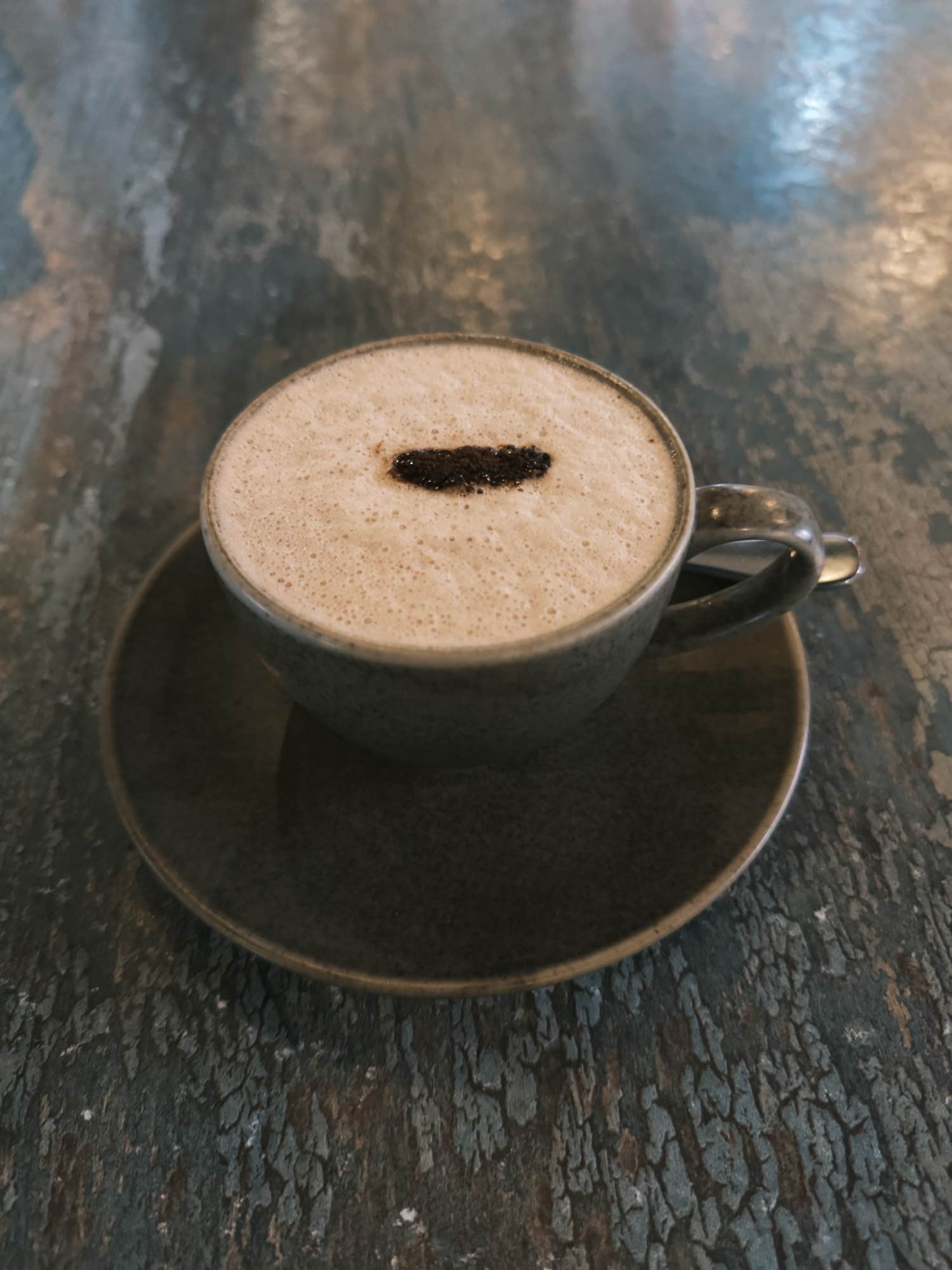
In Negative, the old painted table has a cool, blue-green grey. The chocolate on top is nearly black.
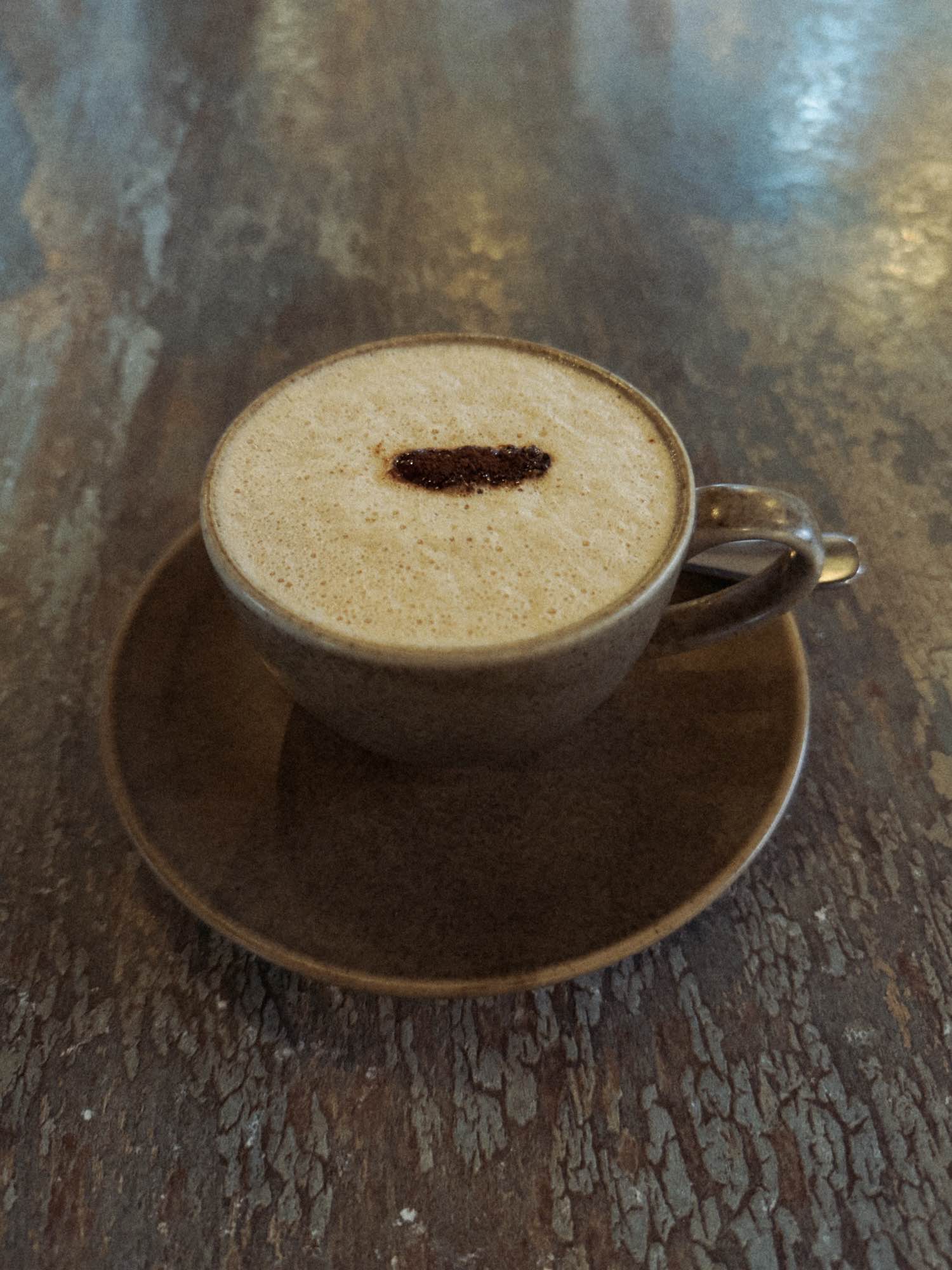
Gold turns the table, the cup and the saucer brown. The chocolate becomes a red-brown.
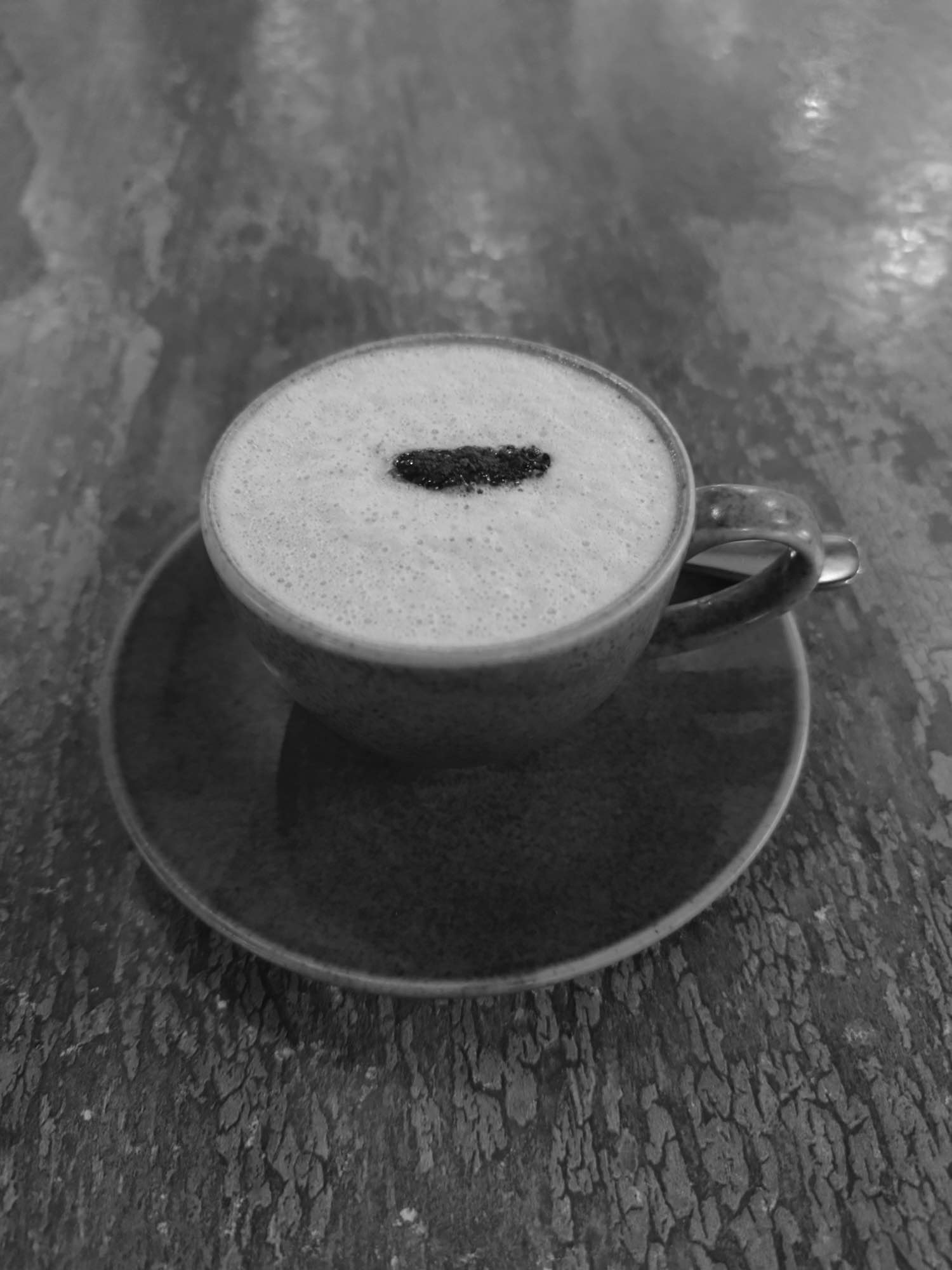
In B&W + R, the cracks in the paint stand out. The light patches on the table go almost white. The chocolate stays dark, so it still sits clearly on the foam.
There's very little red in this scene for the filter to lighten, so the change is quieter than on the latte. The same film can look very different from one photo to the next. That's one more reason to try a few before you decide.
Why this works
Chobial keeps the RAW. Every frame you shoot keeps its original. The film isn't burned into the pixels. It's only how the photo is developed right now.
When you tap another film, the photo is developed again from its original. The new film doesn't go on top of the old one. So the Tungsten latte doesn't carry any Gold in it, and the Gold one doesn't carry any Negative.
Your other edits stay too. If you painted a mask over the sky or healed a spot, they stay where you put them when you change film. You don't have to redo them.
This also works the other way in time. A film you add next year will work on the photos you took this year. There's more on this idea in how to develop old iPhone photos again.
How to develop a photo again in another film
- Open the Library and tap the photo.
- Tap Edit, then the Film tool.
- Slide the row of films and tap one. The photo is developed again from its original.
- Use Strength to turn the film down if it's too much.
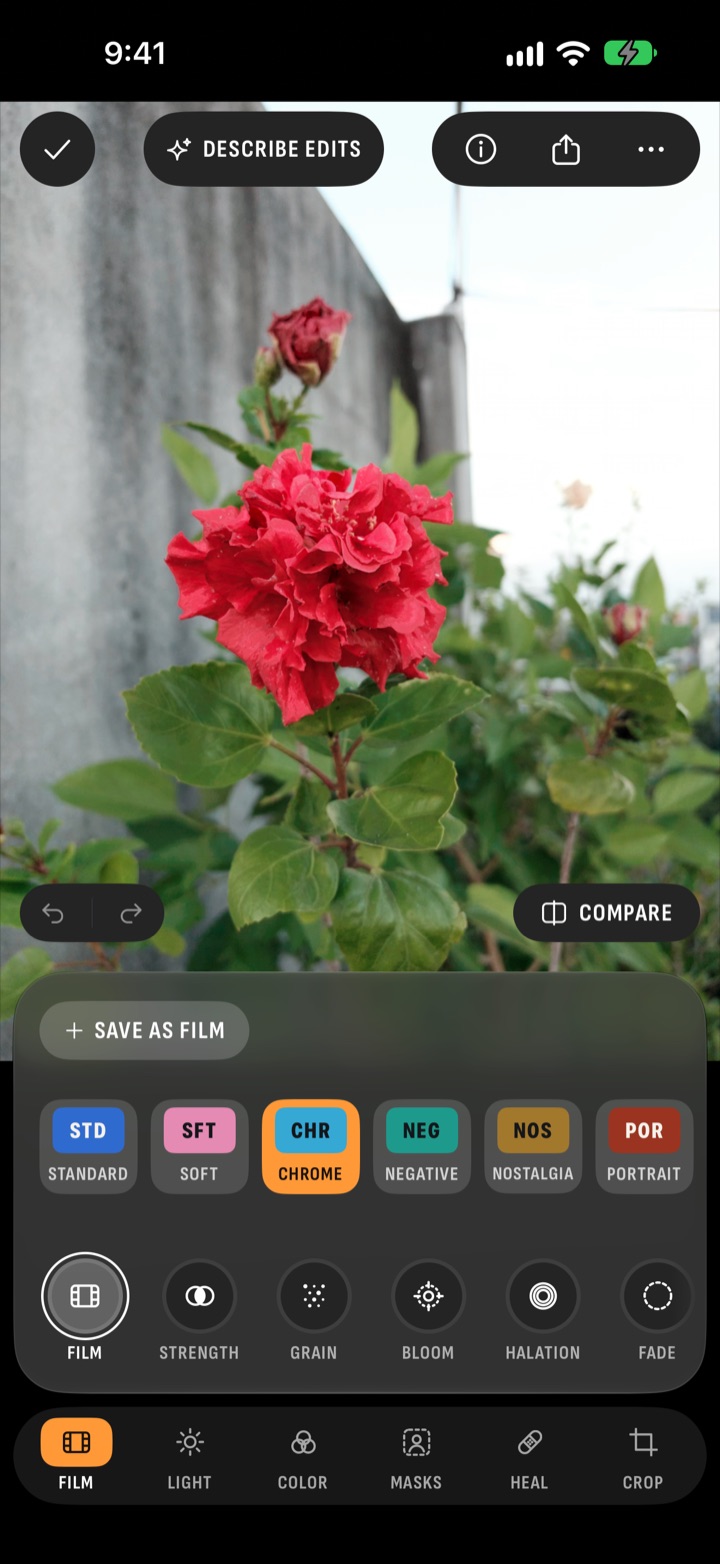
The Film tool also has sliders for Grain, Bloom, Halation, Fade, Clarity, Dehaze and Sharpen. They change this one photo only.
To compare, use Compare at the bottom right. Tap it for a before-and-after slider. Hold it to see the photo without the film and edits. You can also hold the Film tab to see the photo without that tool.
If you shot a whole roll, you don't have to do this one frame at a time. On the roll's contact sheet, Develop Roll In… puts every frame in one film. Each frame still keeps its original.
You can browse every film on the films page, and the editor page has the rest of the tools.
In Chobial
This post is about the edit-later half. The shoot-now half is the camera, where the first film is live in the viewfinder. So you see the latte in Negative while you take it. Swipe across the picture to try another film before you shoot.
Then, later, you can change your mind in the editor, as many times as you like. There's more on the camera side on the camera page.
Developing and previewing every film is free, and so is developing again. Saving is free in 22 of the 46 films.